


Custom reports are a super useful tool built into Google Analytics 4.
You can customize any out-of-the-box report, or build your own from scratch.
Here, I’ll show you how to build a GA4 custom report in less than 30 seconds.
How to create a custom report in GA4 using a current report
The fastest way to create a custom report is to start from a current report that is similar to what you want to build.
For example, if you want to build a Device category report, you could start from the Tech details report.
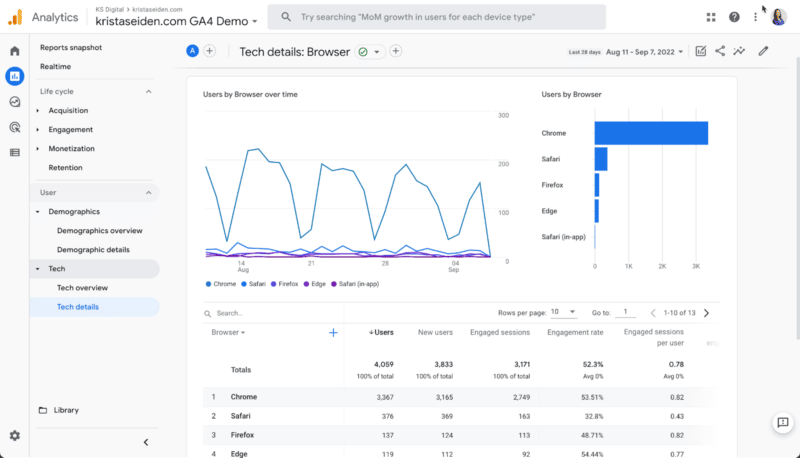
Note: As I showed in Google Analytics 4: A breakdown of Demographic and Tech details reports, Device category is actually available out of the box. You just need to change the primary dimension in the Tech details report.
But if you want it standalone, follow these easy steps.
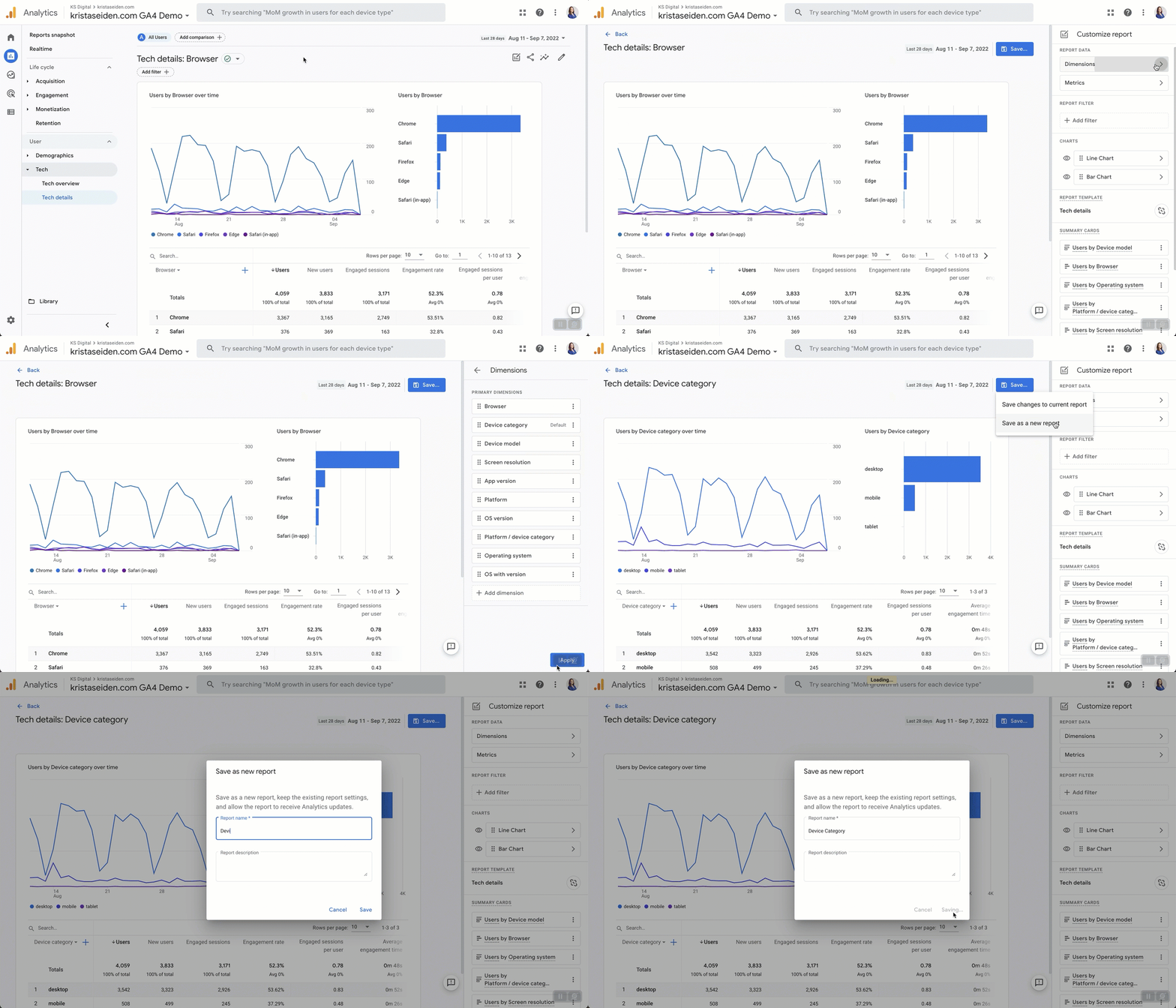
Step 1: Click the edit icon in the upper right-hand corner.
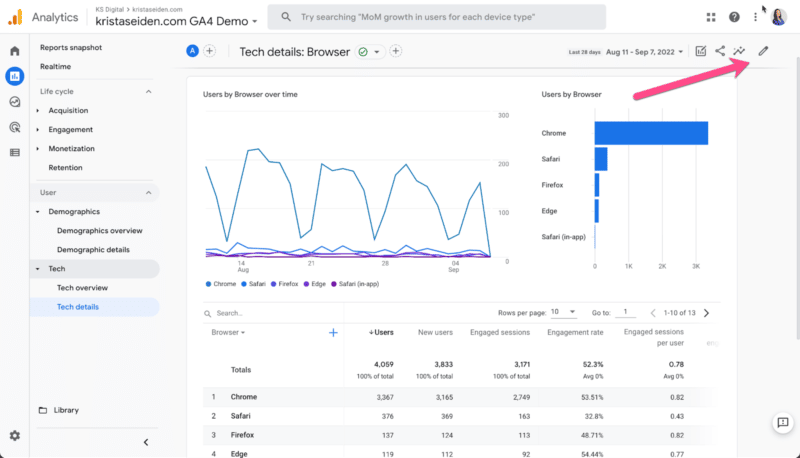
Then click on the Dimensions tab on the right-hand side.
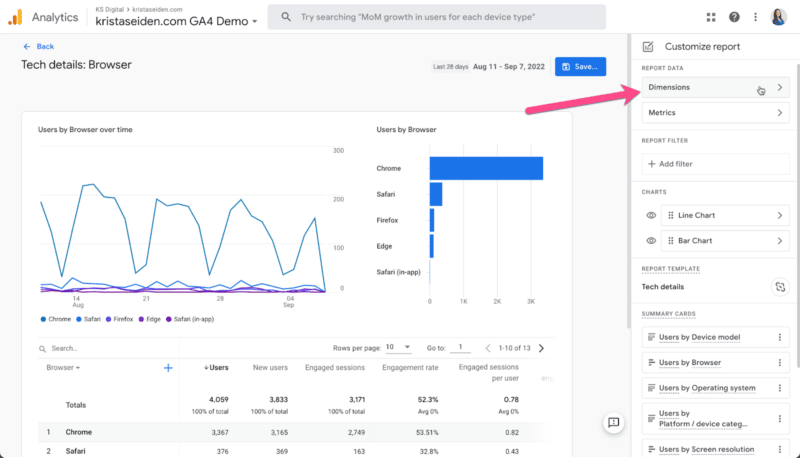
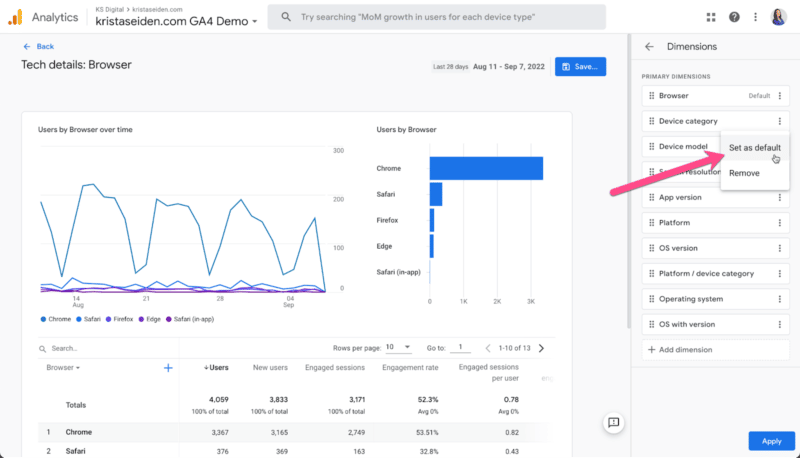
Step 2: Since the dimension we want is already listed (as it’s available in the drop-down of the Tech details report), all we need to do is click the three-dot icon on the right, select Set as default for Device category, and then hit Apply.
Step 3: Now, all you need to do is click the Save button and choose Save as new report. Give it a name like “Device category” to be clear – and that’s it!
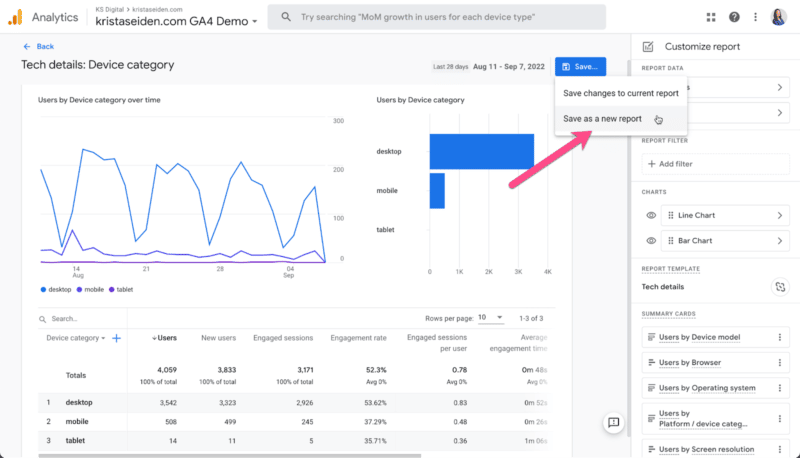
If you want it in your left-side navigation, don’t forget to add it to a report collection from the library menu.
Putting it all together, you can create this report in less than 30 seconds.
Get the daily newsletter search marketers rely on.
How to create a custom report in GA4 from scratch
Let’s do it one more time, this time from scratch.
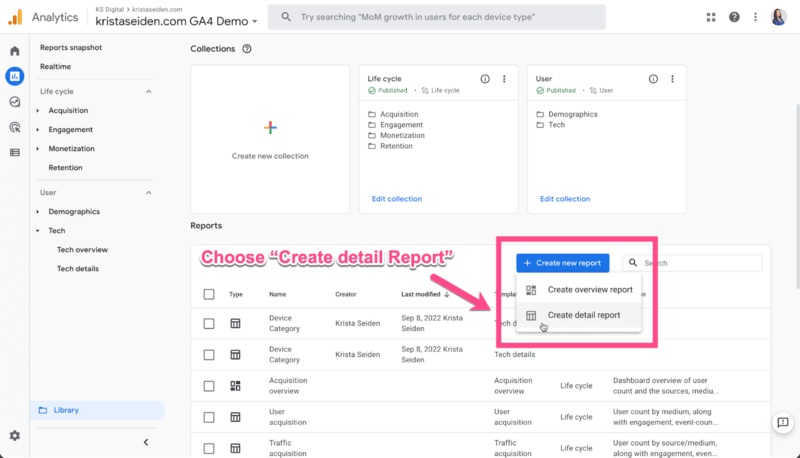
Step 1: Instead of starting from a report, we’ll start in the Library section by clicking Create new report and choosing Create detail report.
 Create detail report.” class=”wp-image-388932″ srcset=”https://knn.io/wp-content/uploads/2022/10/GA4-Create-new-report-800×458-1.png 800w, https://searchengineland.com/wp-content/seloads/2022/10/GA4-Create-new-report-590×338.png 590w, https://searchengineland.com/wp-content/seloads/2022/10/GA4-Create-new-report-197×113.png 197w, https://searchengineland.com/wp-content/seloads/2022/10/GA4-Create-new-report-768×440.png 768w, https://searchengineland.com/wp-content/seloads/2022/10/GA4-Create-new-report-1536×879.png 1536w, https://searchengineland.com/wp-content/seloads/2022/10/GA4-Create-new-report-150×86.png 150w, https://searchengineland.com/wp-content/seloads/2022/10/GA4-Create-new-report.png 1600w” sizes=”(max-width: 800px) 100vw, 800px”>
Step 2: Next, choose a template to start from, or choose blank.
Since I know the Device category dimension is part of the Tech details template, starting there will add relevant metrics and dimensions as a starting point.
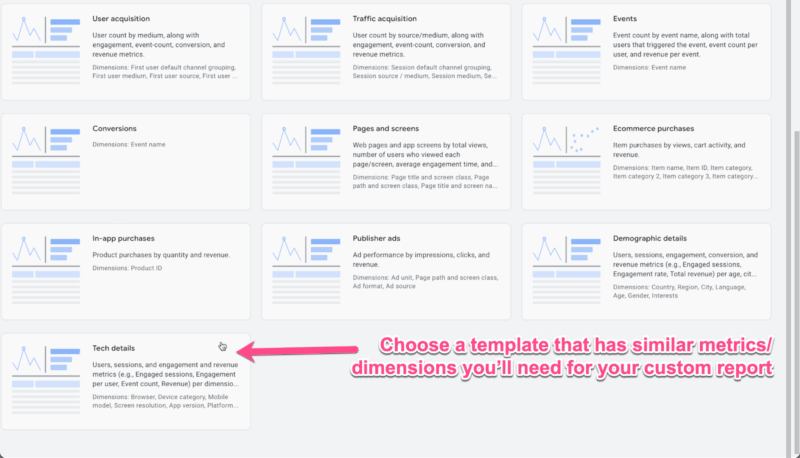
Step 3: Repeat steps 1-3 from the previous section to set Device category as the default dimension, and then save it as a new report with a relevant name.
Again, less than 30 seconds of work to create this custom report.
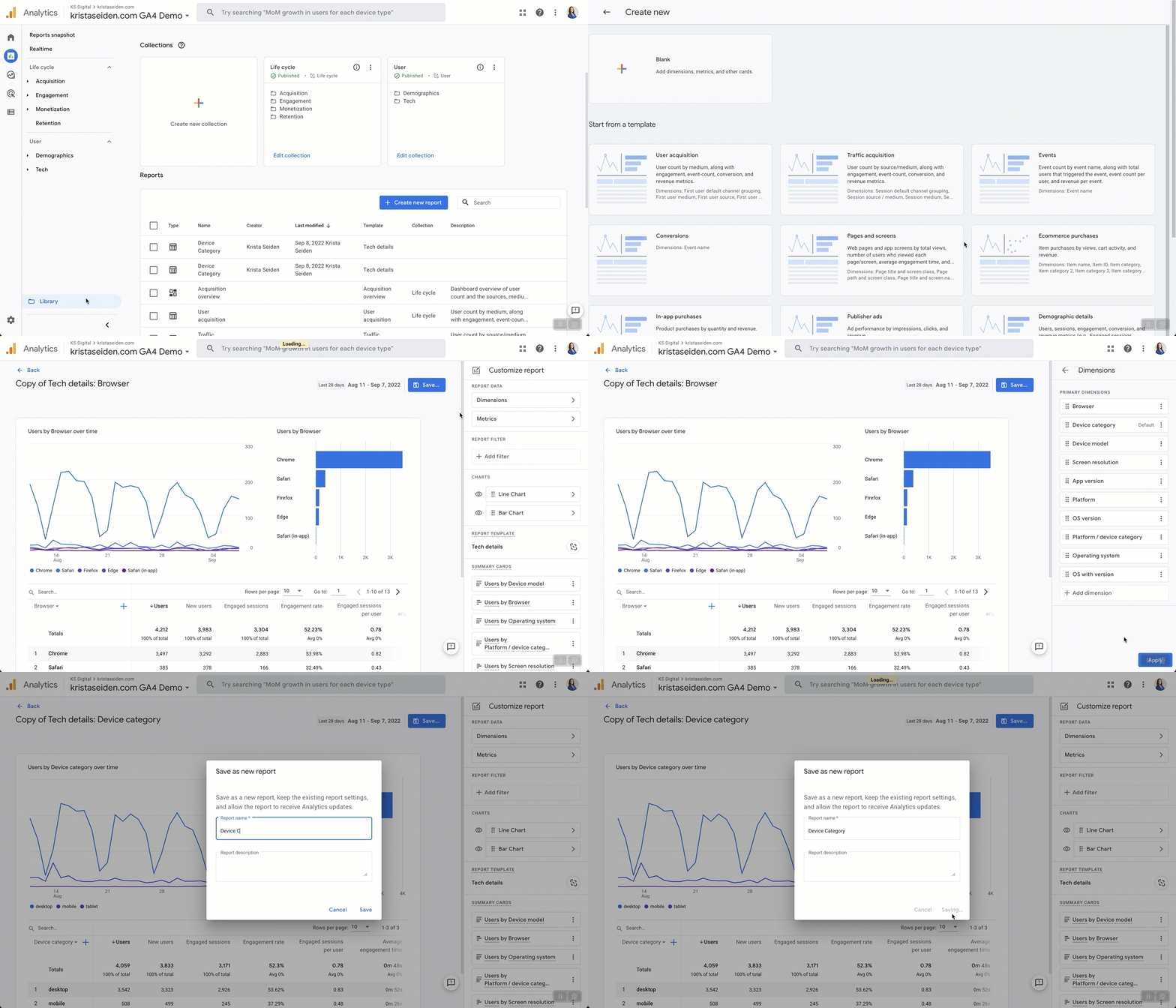
These are simple examples, but you can use custom reports to build out exactly the views of data you need.
You can even create reports tailored to certain groups, such as an SEO Landing Pages report.
Opinions expressed in this article are those of the guest author and not necessarily Search Engine Land. Staff authors are listed here.
Related Stories
New on Search Engine Land
About The Author

Krista Seiden is the principal digital analytics consultant and chief instructor with KS Digital, an analytics consultancy she founded in 2019, helping businesses make the most of their investments in digital marketing and analytics. Previously, Krista was VP, product marketing and growth at Quantcast. Prior to that, she was at Google for nearly 7 years, where she led product management efforts across the Google Marketing Platform and served as the external evangelist for the Google Analytics suite of products. Krista is a keynote speaker, practitioner, writer on Analytics and Optimization, and passionate supporter of #WomenInAnalytics. You can learn more about Krista and KS Digital over at KS Digital.

