


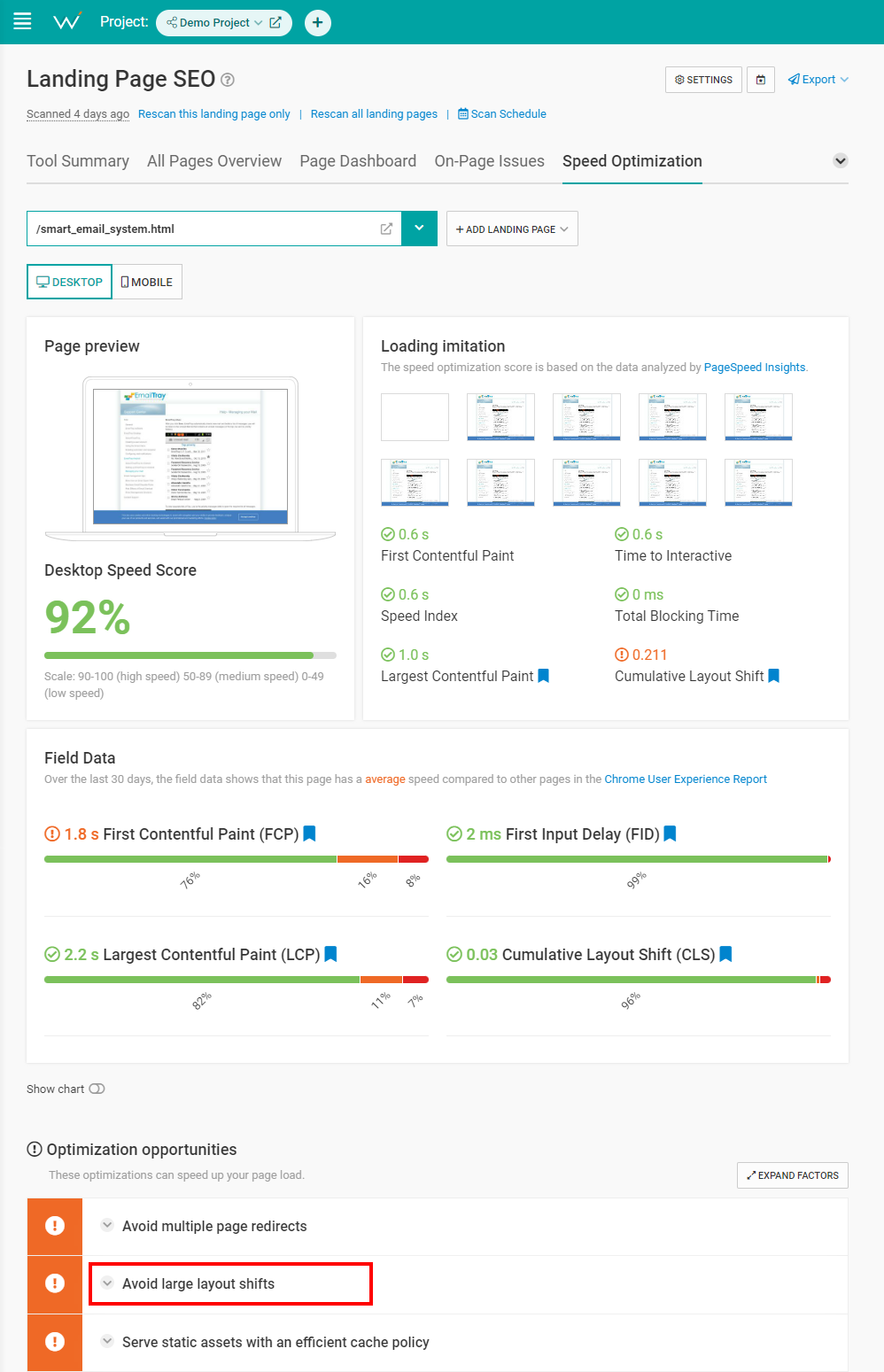
Run a scan on your image-heavy pages with WebCEO’s Speed Optimization tool to see how well you are doing.
 Screenshot from WebCEO, November 2022
Pay special attention to the Cumulative Layout Shift metric, as it’s another Google ranking factor and is also affected by images. If you want to lower your CLS, look for the Avoid large layout shifts point in Optimization opportunities.
4. Make Your Images Responsive
Let’s go into a bit more depth regarding image dimensions.
Ideally (and realistically), you want your images clearly visible on all kinds of devices. But the screens come in all sizes, with PCs and phones being the most obvious options.
So, how do you make the same picture display perfectly everywhere?
The trick is to make your picture responsive. That is, make it automatically scale to fit any screen.
How To Make Images Responsive
WordPress makes images responsive automatically, but if you need to do it manually, here are a few options:
- Set the CSS width property to 100% and height to auto. This way, the image will scale both up and down.
- Set the max-width property to 100%. In this case, the image will never scale up to be larger than its original size.
- Use the
attribute. It displays a different version of the image for different screen sizes. The catch is, you need to prepare different versions of the same image to use this attribute.
Here’s an example:
<img srcset="image-320w.jpg 320w,

image-480w.jpg 480w,

image-800w.jpg 800w"

sizes="(max-width: 320px) 280px,

(max-width: 480px) 440px,

800px"

src="image-800w.jpg" alt="Description">
5. Optimize Image Names, Alt Text & More With Keywords
“Keywords” is the first thing that comes to my mind when I hear “SEO.” Or maybe it’s just me?
There’s a whole list of ways keywords can make your images more SEO-friendly.
You just need to know where to use them.
How To Make Images More SEO-Friendly
Try adding focused keywords to these five locations to improve your image SEO game:
- Filename. Avoid generic names like image1, pic2 and so on. These names tell search engines nothing.
- File path. The domain and subdirectories’ names can provide additional context that search engines can interpret. For example, if you have an online fishing gear store, then you could structure a picture’s URL like this: https://fishing.com/images/fishing-rods/spinning-rod/falcon-bucoo.png.
- Surrounding text. This is what the users see and what complements images best. Just a little relevant text near your image (even a caption) will be enough to boost its score.
- Anchor text. If you have a link which leads directly to an image, a descriptive anchor text will help search engines understand what’s there.
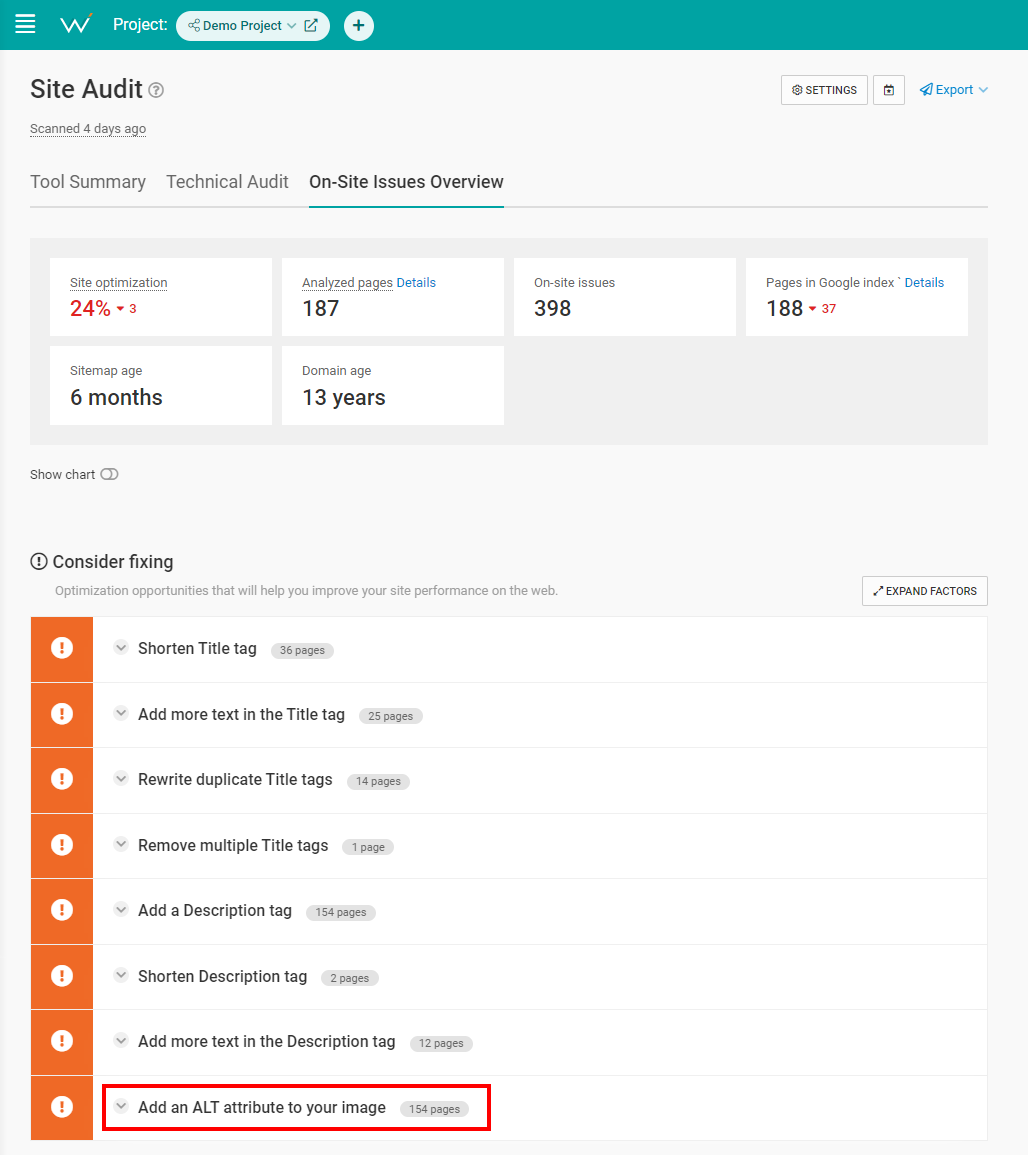
- ALT text. One of the most common SEO mistakes is forgetting to put anything in your images’ ALTs, let alone a description with a keyword or two. You might think it’s not a big deal, but blank ALTs are a problem for users who rely on screen readers. And Google takes accessibility seriously.
Then, check your site in WebCEO’s On-Site Issues Overview for any missing ALT texts.
 Screenshot from WebCEO, November 2022
6. Geotag Your Images For Local SEO Benefits
A local SEO tip for all the stores out there. Adding geographical metadata to your images gives search engines more information to work with.
If there are coordinates attached to a picture of a place, the search engine can tell where exactly that place is. And if there’s a user interested in that particular location, maybe that picture is relevant to their search request.
How To Geotag Your Photos
Modern smartphones and cameras usually have a built-in geotagging feature. If yours doesn’t, you may want to use software or online service for this task. For example, GeoImgr is free and user-friendly.
7. Create An Image Sitemap
Sitemaps offer the fastest way to help search engines discover your site pages. But a separate sitemap just for your images?
It may sound excessive at first, but Google actually recommends it. Here’s a quote from Google’s blog:
Image sitemaps can contain URLs from other domains, unlike regular sitemaps, which enforce cross-domain restrictions.
So you don’t even need to host an image on your own domain, and it will still work for you. Sounds like a dream, right?
How To Create An Image Sitemap
However, there is a catch: websites usually have tons of images.
Making a sitemap for them yourself is a valid option (and Google provides an example), but entering hundreds or thousands of image URLs manually would take forever. And, unfortunately, there are very few free automated services to do it for you.
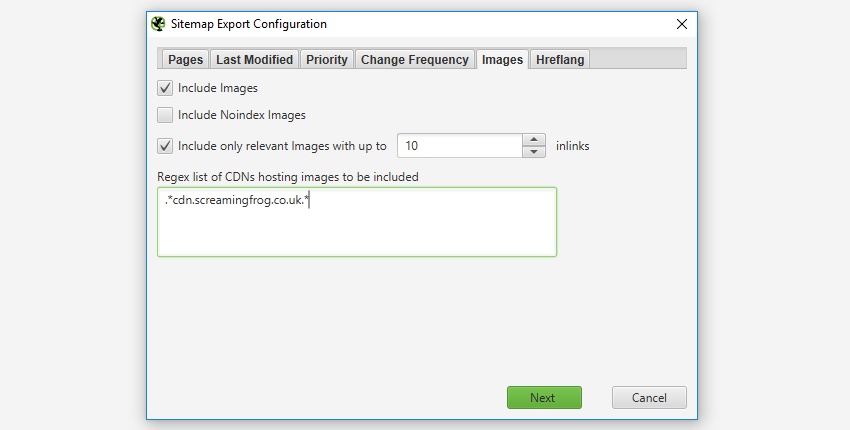
Of course, you can just write a script for scraping image URLs and putting them into a sitemap – if you are an IT god. For puny mortals, we can recommend Screaming Frog’s SEO Spider, which comes with an XML Sitemap Generator. Its free version can create image sitemaps with up to 500 URLs.
 Screenshot from ScreamingFrog.co.uk, November 2022
8. Use Image Caching To Speed Up Your Site
Teach a man to fish and you feed him for life. Teach a browser to cache images and it will keep them for as long as needed.
Okay, you don’t need to teach browsers anything, but you get the idea.
Once an image is saved in the cache, the browser will retrieve it from there instead of loading it again next time you visit the website. It’s a real time saver.
How To Set Up Image Caching & Speed Up Your Site
Open your site’s .htaccess file and set the expiration times for your images. Here’s an example:
## EXPIRES CACHING ##


ExpiresActive On

ExpiresByType image/jpg "access 1 year"

ExpiresByType image/jpeg "access 1 year"
ExpiresByType image/gif "access 1 year"

ExpiresByType image/png "access 1 year"

ExpiresDefault "access 1 month"


## EXPIRES CACHING ##
The expiration times can be shorter than a year. Feel free to set your own depending on how often you update your images.
9. Mark Up Images With Structured Data To Help Google Understand Your Content
Structured data tells search engines what’s what on a page.
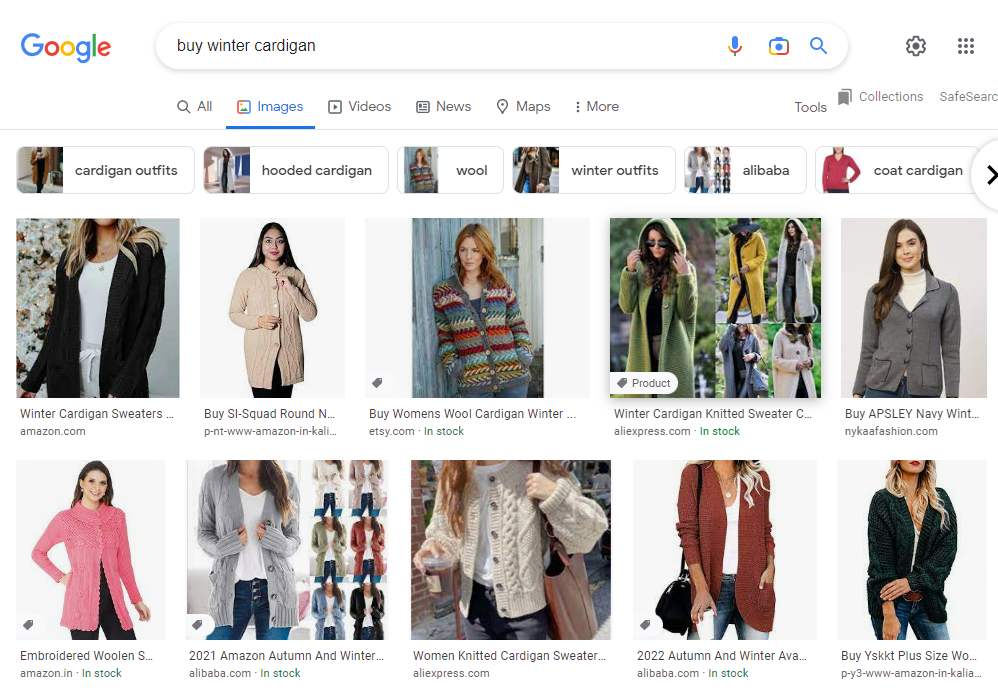
All websites can benefit from it, but it’s a real godsend for ecommerce sites in particular. It’s not just regular search results that can become rich snippets; image search results get extra fluff, too!
 Screenshot from Google.com, November 2022
See that little badge saying Product and the words In stock? You bet the user is one click away from visiting that site.
Google Images supports the Product and Recipe types. Use them well.
How To Mark Up Your Images With Schema
In order to generate structured data code for your pages, consider using Google’s Structured Data Markup Helper tool. It’s free, but it requires a Google Search Console account associated with your domain.
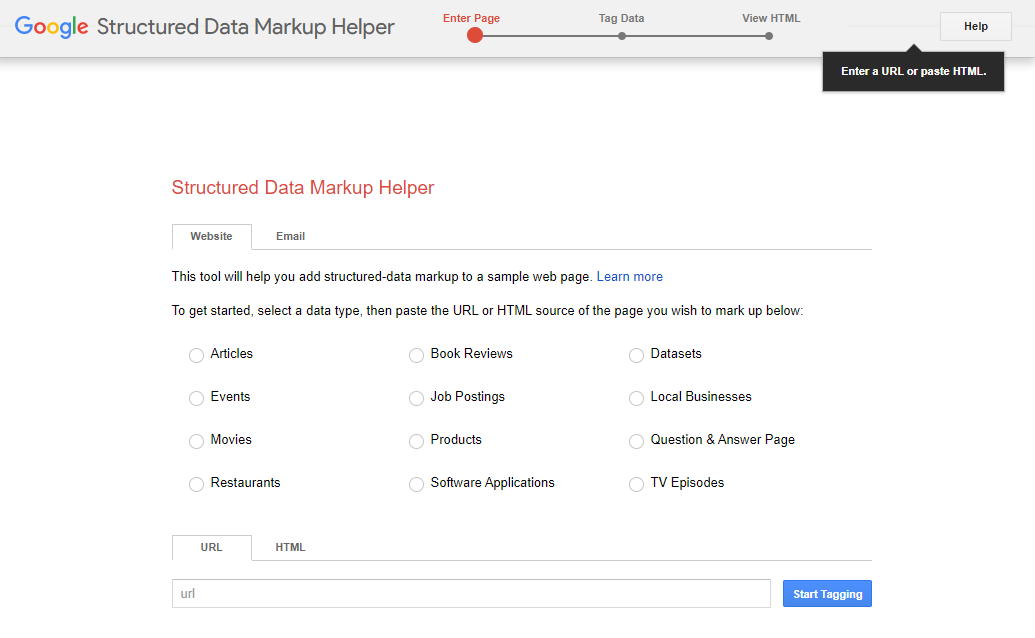 Screenshot from Structured Data Markup Helper, November 2022
It works like this:
- Select a data type and paste the URL of the page you want to mark up. Press Start Tagging.
- The tool will display the page. Highlight an element you want to mark up. In the menu that appears, select the appropriate tag. For example, if you click on an image, then select Image; if you highlight a product’s price, then select Offer->Price.
- When you’ve tagged everything you wanted, press the Create HTML button to generate the code.
Markup Helper can test and validate your code too. If you want an alternative, there’s also Rich Results Test (another free tool).
Easier than you expected, right? The only downside is that the effect will not be immediate; it may take up to three weeks.
10. Make Your Images Shareable
Get an extra publicity boost from social media. You can never have too many of those.
The more shares your pages have, the more important and relevant they appear to search engines.
How To Make Your Images Shareable On Social Media
First things first: users are more likely to share a unique image. If you put an honest effort into making your own visuals, that’s a good start.
Now for the technical part.
Normally, enabling the option to share your images doesn’t require any hard work. WordPress already makes hero images shareable. Just copy and paste the page’s URL when making your social media post.
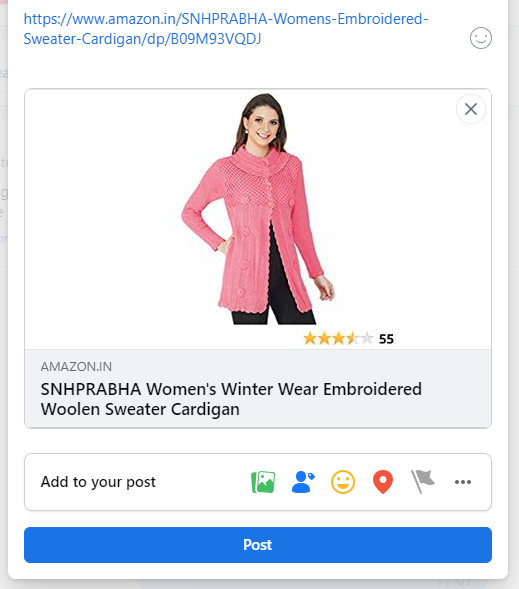 Screenshot from Facebook.com, November 2022
WordPress does this trick by inserting OpenGraph tags in the pages’ metadata. Here’s an example:
The secret lies in – you guessed it – those property=”og” things. If your website doesn’t generate them automatically, you may want to put them in your pages’ metadata yourself.
However, it’s much easier to install a plugin like Share This Image. Then the users will be able to share your site’s images on social media in just a couple clicks.
Wrapping Up
Google is experimenting with AI and developing new kinds of search, but images aren’t going anywhere. If anything, image search is bound to become even more advanced in the near future, which means there will be new image SEO techniques.
But the existing basis is unlikely to change too much. Master it right now, and with higher rankings, your website will be ready for the eventual big storm in image SEO.

